Ethical Considerations When Using Ai Editing Tools


Table of Contents
Principles of Ethical AI-Assisted Editing
Think of AI as your editorial intern — enthusiastic, eager to help, but not ready to run the show. The moment you hand over creative control to an algorithm, you've crossed a line that's hard to walk back from. Authors who treat AI as a ghostwriter rather than a tool end up with manuscripts that read like they were assembled from spare parts.
The responsibility for your manuscript's quality sits squarely with you. When an agent asks about your process or a reader connects with your work, they're responding to your choices, your voice, your vision. AI might suggest a smoother transition or catch a dangling modifier, but the story — the heart of what you're trying to say — belongs to you.
Align With Editorial Standards, Not Against Them
Here's what separates professional editors from well-meaning friends with opinions: we work within established frameworks. Developmental editing focuses on big-picture issues like plot structure and character development. Line editing polishes prose at the sentence level. Copyediting catches grammar and consistency errors. Proofreading handles the final typos and formatting glitches.
AI works best when you give it a specific job within these boundaries. Ask it to flag repetitive sentence structures during your line edit. Use it to spot inconsistencies in character names during copyediting. But don't dump your entire first draft into ChatGPT and ask it to "make this better." That's like asking a carpenter to fix your house without telling them whether the problem is the foundation or the paint job.
Your house style matters too. If you write literary fiction with long, lyrical sentences, don't let AI chop everything into Hemingway-esque fragments. If you're working on a memoir with a conversational tone, resist AI's tendency to formalize your voice into corporate-speak. Feed the tool your style guide alongside your text. Better yet, show it examples of your best work and ask it to match that energy.
Set Clear Boundaries
AI loves to be helpful. Sometimes it's too helpful. You ask for clarity suggestions and it starts rewriting your themes. You request structure improvements and suddenly your character's motivation has shifted. This is where boundaries become crucial.
The rule is simple: AI gets to suggest how you say something, but never what you say. It might recommend cutting a wordy paragraph or restructuring a confusing sentence. It should never change your character's backstory or add plot points you didn't write. The moment AI starts making creative decisions, you've lost control of your own story.
One writer I know learned this the hard way. She fed her romance novel's opening chapters to an AI editing tool without specific instructions. The AI decided her heroine was "too passive" and rewrote dialogue to make her more assertive. The result? A character who no longer matched the emotional arc the author had planned for the entire book. It took weeks to untangle the changes and restore the original character voice.
Create Your AI-Use Policy
Every professional editor has processes. You should too. Write down which tools you'll use, for what tasks, and when. This isn't bureaucracy — it's protection. For yourself, your work, and your career.
Start simple. Maybe you use Grammarly for basic grammar checks but not for tone suggestions. Perhaps you run query letters through AI for polish but keep your actual chapters human-edited only. Or you might use AI to generate alternative phrasings for clunky sentences, then choose which option fits your voice best.
Document the boundaries. If you're writing a mystery, you might decide AI handles only descriptive passages, never dialogue or plot reveals. For nonfiction, maybe AI helps with transitions between sections but never touches your research or conclusions.
The point isn't to create rules that slow you down. It's to create rules that keep you in control. When you know exactly what you're asking AI to do, you're less likely to accept changes that don't serve your story.
Document Everything
Keep records. Not because you're paranoid, but because transparency matters. More agents and publishers are asking about AI use, and "I think I might have used it somewhere" isn't a helpful answer.
Note which tools you used, when you used them, and what you asked them to do. Save your prompts. Track major changes. If AI suggests cutting three paragraphs from Chapter 2, document that decision and your reason for accepting it.
This isn't about proving you're not cheating. It's about showing you're a professional who takes responsibility for your work. The best writers I know keep detailed revision logs anyway. Adding AI use to that log is just good practice.
Your documentation becomes especially valuable when AI suggestions change your manuscript significantly. Six months later, when you're trying to remember why you restructured that pivotal scene, you'll have the trail of decisions that led you there. And if an editor or agent questions your process, you'll have clear answers about what role AI played in your work.
The goal isn't to hide AI use or apologize for it. The goal is to show that you used it thoughtfully, purposefully, and always in service of your vision as a writer.
Preserving Author Voice and Originality
Readers return for how you sound on the page. Rhythm. Word choice. What you leave unsaid. AI leans toward the middle. Smooth, safe, beige. Use it for options, then rewrite in your own tone.
Start with a simple rule. Ask for suggestions, not rewrites. Feed a paragraph and say, "Point out wordiness. Offer three tighter versions of each sentence. Keep first‑person sarcasm. Keep my regional slang." Review the ideas. Keep what fits your voice. Toss the rest. Then rewrite by ear. If a suggestion slips through without your hand on it, your sentences start to wear someone else’s coat.
Spot and fix AI-sounding prose
Tells of AI polish:
- Vague openers, like “Many people believe.”
- Inflated diction in place of plain speech.
- Balanced sentences where every clause mirrors the next.
- Hedging stacked on hedging.
A quick tune-up:
- Swap abstractions for concrete terms. “Improve outcomes” becomes “help readers finish the book.”
- Prefer clear verbs over phrases. “Made a decision” becomes “decided.”
- Break symmetry. Vary sentence length. Follow a long sentence with a short punch.
Mini exercise:
- Paste one paragraph into your tool with this prompt: “List five stronger verbs for each weak verb. Preserve tone. No new claims.”
- Pick verbs that sound like you.
- Read the original and your revision aloud. If your mouth trips, revise again.
The “no new facts” rule
AI loves to fill gaps. Dates appear from thin air. Quotes arrive with perfect punctuation and no source. Hold the line. No new facts during editing.
How to enforce it:
- Add at the top of each prompt: “Do not add data, quotes, dates, or names.”
- Bracket anything factual in your draft before using AI. [2017 revenue], [CDC statistic], [journal title]. After editing, verify each bracket with trusted sources.
- If a suggestion includes a number or claim, delete first, verify later. Only reintroduce once you have a source in your notes.
For nonfiction, keep a simple source log while you revise. Passage, source, page or link, date checked. Boring, yes. Also the difference between a firm foundation and a shaky one.
Use tighter, targeted prompts
Vague requests invite scope creep. Specific requests keep voice safe.
Templates that work:
- “Suggest stronger verbs without changing tone. Keep contractions. Keep idioms. No new facts.”
- “Flag sentences over 25 words. Offer one shorter version for each. Preserve first‑person humor.”
- “Point out clichés. Propose three fresh alternatives in the same register.”
- “For this dialogue, mark any line that sounds out of character. Explain why in one sentence.”
Give the tool a small excerpt, not a whole chapter. Ask for a list of options, not a rewrite of the passage. You remain the writer. The tool provides raw material.
Compare before and after with intent
Voice bleeds during revision unless you watch the gauges. Track your changes. Read with a view to specific markers:
- Contractions. If you use them, keep them. “I am” turning up where you use “I’m” signals drift.
- Sentence music. Do you favor fragments for emphasis? Keep them. Does the revision iron them out? Restore the snap.
- Favorite moves. Maybe you open with a verb. Maybe you end with a crisp noun. Keep those fingerprints.
- Lexicon. List ten words you love and five you avoid. If “folks” disappears and “individuals” appears, nudge back.
- Dialogue breath. Each main character needs a distinct rhythm. Read dialogue aloud in character. If two voices blend, roll back edits that flattened difference.
Practical method:
- Work in a copy with track changes on.
- After an AI pass, accept mechanical fixes only, commas, obvious typos, consistent spelling.
- For style edits, review each change out loud. Ask, “Would I say this?” If the answer feels lukewarm, rewrite in your words.
Protect originality and credit sources
Once edits settle, run an originality check. You are not searching for theft. You are confirming distance from sources and comfort with influence. If you write research-heavy work, run the check on each chapter near the end of your line edit.
Direct quotes need quotation marks and a citation. Close paraphrase needs a citation too. If a passage started near a source, note the source in your log, even if your final version moved far away.
A simple habit helps:
- Keep a bibliography file open while editing.
- Each time you touch a factual passage, add the source with a brief note. “Used for timeline of events.” “Confirmed spelling of name.” “Pulled wording for definition.”
- If your tool suggests phrasing that echoes a source you fed in, step back. Ask for “alternative wording, more plainspoken, no source phrasing.” Then read your version aloud. Shift syntax. Swap metaphors for your own. Replace general claims with your observations.
A quick voice check before you move on
- Read three random pages from earlier work you love.
- Read your revised pages right after, same day.
- Mark any line where your voice thins or turns formal without cause.
- Restore warmth, rhythm, and specificity in those lines.
Your voice survives AI when you stay in the driver’s seat. Let the tool point to rough lumber. You pick the grain, shape the board, and sign the finished piece with language only you would use.
Copyright, Licensing, and Plagiarism Risks
Editing with AI feels harmless. You are not lifting whole pages, you are polishing sentences. Legal risk still enters the room the moment you upload a paragraph. Treat this part with care.
Read the fine print before you upload
Terms of service shape what happens to your manuscript. Hunt for these clauses:
- Data retention. Does the tool store prompts or outputs, and for how long.
- Training use. Does your text feed future models. Is there an opt out.
- Human review. Are staff allowed to view samples for quality control.
- Ownership of outputs. Who owns the edited text.
- Confidentiality. Any promise to protect client content.
If the terms look vague, choose another tool. For high stakes projects, pick options with no training use, short retention, and clear deletion routes. API or enterprise plans often give stronger privacy. Local tools keep files on your own machine.
Mini check:
- Screenshot the key clauses. Save the version date.
- Note your settings for data retention and training.
- Keep these with your edit log.
Know your input rights
Only upload text you have a right to share. Common traps:
- Song lyrics. Even one line often needs permission.
- Poems. Short works receive strong protection.
- Quotes longer than a few lines. Context matters. Seek permission when in doubt.
- Translations. Translators own rights in many regions.
- Work for hire under NDA. Get written clearance before sharing any excerpt.
Fair use exists, yet it is narrow and situational. Ask yourself:
- Why am I quoting. Commentary, critique, scholarship push toward fairness.
- How much am I using. Less is safer. Avoid the “heart” of a work.
- Does my use harm the market for the original. If yes, back off.
When risk rises, paraphrase in your own words and cite the source. Or get permission in writing.
Public domain is your friend. Works with expired copyright, government publications in some countries, and your own material are safer choices. Verify status, do not guess.
Derivative outputs still infringe
Feeding a paragraph from a bestseller and asking for a “fresh version” does not absolve you. A close rewrite, even with new words, may still track protected expression.
A quick test:
- Strip away nouns and verbs from the source. Look at structure, order of ideas, and distinctive images.
- Do the same for your version. If the spine matches, you are still too close.
Aim for transformation, not paraphrase. Switch the frame, the examples, and the angle. Replace a hotel example with a bakery. Replace a tech case study with a school setting. Build from your experience. New structure plus new specifics leads to original work.
Mini exercise:
- Write a one-sentence thesis in your own voice.
- List three new examples from your life or reporting.
- Draft from that list without the source in view.
- Only then, add one short quote with citation if needed.
Cite like your reputation depends on it
For research-heavy work, carry a source log through every edit round. Keep it simple:
- Quoted line.
- Source, author, page or link.
- Date you verified.
- Notes on use, quote, paraphrase, data point.
Use quotation marks for direct quotes. Add a citation near the quote or in notes, based on your style guide. For close paraphrase, cite the source. For facts and figures, note where you checked them. If an AI suggestion introduces phrasing that echoes a source you provided, switch to new wording. Read aloud and change the rhythm, syntax, and examples until the echo fades.
Run an originality check near the end of line edits. Treat flags as prompts to review passages, not as verdicts. When a match appears, either quote and cite, paraphrase with distance, or cut.
Contracts, credit, and warranties
Publishing agreements include promises from you. Read these lines with care:
- Originality. You warrant the work is your own and free from infringement.
- Permissions. You promise to secure all needed approvals.
- Indemnity. You accept financial risk for breaches.
- AI use. Some contracts restrict tools during writing or editing.
Ask your editor what disclosure they expect on AI involvement. Many houses prefer a production note or a line in acknowledgments when AI shaped edits in a material way. Do not list AI as an author. Authorship sits with people.
Keep a tidy audit trail in case someone asks later:
- Tool name and version.
- Date of each session.
- Purpose of the task, for example, “flag passive voice in chapter 3.”
- Key prompts and settings.
Quick risk screens you can run today
Before every upload:
- Do I have rights to this text. If not, strip or mask those parts.
- Does the tool train on my work. If yes, pick a safer option.
- Any quotes, lyrics, or translations in this excerpt. If yes, remove before editing.
Before delivery:
- Did I keep a source log for every factual section.
- Do my paraphrases use new structure and new examples.
- Are permissions in hand for any protected material.
One last habit helps. When a sentence reads too smooth to trace to your own head, check where it came from. If the answer is a source or a tool, fix the trail. Quote and cite, or rewrite in your words. Your name goes on the spine. Your diligence should match.
Privacy and Data Security for Manuscripts
Your manuscript is intellectual property. The moment you paste a chapter into an AI tool, you are sharing that property with servers, databases, and potentially human reviewers. Most writers never pause to ask where their words go or how long they stay there.
Start thinking like a security professional. Your draft represents months or years of work. It deserves the same care you would give a signed contract or bank account details.
Your manuscript is confidential IP
Every unpublished work carries inherent value. A half-finished novel, a business book proposal, or a memoir draft contains ideas, research, and creative expression that competitors, publishers, or bad actors might misuse. Early drafts often include personal details, research sources, or strategic insights you would never share publicly.
Think through these scenarios:
- A competitor downloads your business book outline from a leaked database.
- Your memoir excerpts, complete with family details, end up training future AI models.
- A publisher sees a version of your novel pitch before your agent submits it.
- Your journalism sources get exposed through a data breach at an AI company.
Default behavior for many tools involves storing your input and output text. Some companies review samples for quality control. Others use customer data to improve their models. A few have experienced breaches where user content leaked.
The baseline rule: treat every upload as public unless you have explicit privacy guarantees.
Choose privacy-first options
Not all AI tools handle data the same way. Hunt for these features:
- Local processing. Tools that run on your device keep text private by design.
- No data retention. Some services delete prompts and outputs immediately after processing.
- Enterprise plans. Business tiers often include stronger privacy controls and contractual protections.
- Opt-out settings. Look for switches to disable training use or human review.
Read the privacy policy, not just the marketing copy. Key questions:
- How long do you store my text?
- Do human staff review my content for any reason?
- Do you train models on customer inputs?
- Where are your servers located?
- Have you experienced data breaches in the past two years?
When in doubt, test with throwaway content first. Upload a fake paragraph and see what the service tells you about data handling. Save screenshots of your privacy settings and policy excerpts.
Red flags:
- Vague language about "improving our service."
- No clear deletion process.
- Terms that change without notice.
- Free tools with no obvious revenue model.
Strip sensitive information before sharing
Even with privacy controls, accidents happen. Clean your excerpts before upload:
Personal identifiers:
- Real names of family, friends, or sources.
- Addresses, phone numbers, email addresses.
- Social security numbers, account details, or medical information.
- Photos, GPS coordinates, or location details.
Professional confidential material:
- Client names or project details under NDA.
- Proprietary research data or trade secrets.
- Unpublished interview quotes or source material.
- Strategic plans or competitive information.
Replace sensitive details with placeholders. Instead of "John Smith, CEO of TechCorp," write "CEO of [Company]." Instead of "I interviewed Dr. Sarah Chen at Johns Hopkins," write "I interviewed Dr. [Name] at [Institution]." Keep a key file on your local machine to reverse the changes later.
For memoir or personal essays, consider whether family members consented to their stories being processed by AI. When in doubt, mask or generalize details until you reach the final draft stage.
Create a data map for accountability
Track what you share, where it goes, and how to retrieve or delete it. A simple spreadsheet works:
Columns to include:
- Date of upload.
- Tool name and version.
- Text type, for example, "Chapter 3 excerpt" or "Query letter draft."
- Purpose of edit.
- Privacy settings used.
- Deletion date, if applicable.
- Notes on sensitive content removed.
This log serves multiple purposes. You will know which tools have seen which parts of your work. You will have dates and details if a breach occurs. You will satisfy GDPR or CCPA data subject rights if you need to request deletion. You will have an audit trail if agents, publishers, or legal counsel ask about your AI use.
Update the log in real time, not days later. Memory fades. Details matter.
Backup and version control protect your work
AI editing introduces new risks to your files. Tools crash. Edits go wrong. Outputs overwrite originals by mistake. Human error compounds when multiple versions float around.
Build habits that protect your work:
Before each AI session:
- Save a timestamped backup of your original file.
- Use "Track Changes" or version comments to mark AI-assisted edits.
- Note which paragraphs went to which tool in your margin comments.
Version naming that scales:
- "Novel_Draft_2_Before_AI_Edit_2024-01-15.docx"
- "Chapter_3_Original_Version.docx"
- "Query_Letter_Post_AI_Polish_v2.docx"
Consider using Git or similar version control if you are comfortable with technical tools. Writers who code often prefer this route for complex projects.
Cloud storage helps, but encrypt sensitive files and use strong passwords. Local backups on external drives add another layer of security for high-value projects.
Quick security checks you can run today
Before your next AI editing session:
- Review your chosen tool's current privacy policy.
- Check your account settings for data retention and training opt-outs.
- Clean one excerpt of personal identifiers and test your comfort level.
- Create a simple data log template.
After editing:
- Save a clean version with AI changes clearly marked.
- Update your data map with session details.
- Delete uploaded content from the AI tool if the option exists.
Monthly maintenance:
- Review which tools still store your content.
- Delete old sessions or request account deletion from tools you no longer use.
- Update your data map and backup your local files.
Security awareness does not require paranoia. It requires intentional choices about risk and value. Your manuscript represents significant investment. Treat it with the care it deserves, and sleep better knowing your words stay under your control.
Bias, Sensitivity, and Factual Integrity
AI models learn from the internet. The internet reflects human prejudices, incomplete information, and outright falsehoods. When you use AI to edit your work, you inherit these problems unless you actively guard against them.
This is not a theoretical concern. AI systems routinely suggest changes that reinforce stereotypes, insert factual errors, or smooth away cultural nuances that matter to your story. The fix is not to avoid AI editing entirely. The fix is to approach it with your eyes open.
AI mirrors the bias in its training data
Every AI model reflects the biases present in the text it was trained on. If the training data overrepresented certain demographics, underrepresented others, or contained discriminatory language, those patterns show up in the model's suggestions.
Common bias patterns to watch for:
- Defaulting to male pronouns for professionals like doctors or engineers.
- Suggesting "more professional" language that strips away cultural voice markers.
- Reinforcing stereotypes about age, disability, religion, or socioeconomic status.
- Favoring standard American English over other valid dialects or varieties.
- Making assumptions about family structures, relationships, or life experiences.
Here is what this looks like in practice. You write: "Maria, a software engineer from Mexico City, debugged the authentication system." An AI tool suggests: "Maria, who moved from Mexico City, helped debug the authentication system." The change seems minor, but it subtly implies that Maria is not the lead engineer, just someone who "helped."
Or you write: "The grandmother told stories in her thick Southern accent." The AI suggests: "The grandmother told stories with her distinctive speech patterns." The revision sounds more "neutral," but it erases a specific cultural marker that matters to your character.
Review every AI suggestion through this lens: Does this change reinforce a stereotype? Does it erase cultural specificity? Does it make assumptions about what sounds "professional" or "correct"?
Sensitivity readers bring lived experience
AI cannot replace human sensitivity readers. It has no lived experience with racism, disability, poverty, or trauma. It cannot tell you whether your portrayal of a marginalized community feels authentic or harmful to members of that community.
Sensitivity readers offer something AI never will: personal experience with the identities you are writing about. They catch problems that go beyond grammar or word choice. They notice when dialogue feels inauthentic, when plot points rely on harmful tropes, or when well-meaning descriptions carry unintended implications.
Use AI for technical editing tasks. Use sensitivity readers for cultural authenticity and harm reduction.
The workflow that makes sense: Write your draft. Edit for structure and clarity with or without AI assistance. Then hire sensitivity readers who share the identities of your characters. Make their suggested changes. Only then move to final copyediting and proofreading.
Do not ask AI to perform sensitivity reading. Prompts like "check this for cultural sensitivity" or "make this more inclusive" often produce generic, surface-level changes that miss deeper issues while creating false confidence that you have addressed potential problems.
Fact-checking becomes critical
AI models hallucinate. They present false information with complete confidence. They generate plausible-sounding details that are completely wrong.
This problem gets worse during editing, because AI often adds small "improvements" that introduce errors. It might change "the 1994 election" to "the 1996 election" because the latter sounds more recent. It might replace a correct technical term with a similar-sounding but incorrect one. It might insert a middle initial for a person who does not have one.
Implement a fact-checking protocol for any AI-edited content:
- Verify all dates, names, and numerical claims.
- Double-check technical terminology and specialized knowledge.
- Confirm quotations and citations match their original sources.
- Look up any "facts" that seem too convenient or precise.
- Cross-reference claims against multiple reputable sources.
For research-heavy work, keep a source log alongside your manuscript. Note where each fact came from originally. After AI editing, re-verify facts that changed or were added. If you cannot find a source for something the AI inserted, remove it.
Provide clear guidance to avoid generic suggestions
AI performs better when you give it specific instructions about your values and style preferences. A generic prompt like "edit this for clarity" will produce generic results that sand away distinctive voice elements.
Instead, create an instruction set that includes:
- Your style guide preferences (Chicago, AP, MLA, or house style).
- Your stance on inclusive language (pronouns, person-first vs. identity-first language, etc.).
- Cultural considerations relevant to your work.
- Voice elements you want to preserve (dialect, formality level, regional expressions).
Example prompt: "Edit for clarity and grammar following Chicago style. Preserve the narrator's informal voice and Southern dialect markers. Use inclusive language as defined in our house style guide [attached]. Do not change cultural references or family structure assumptions."
This approach gives you better results than hoping the AI will guess your preferences correctly.
Build in human oversight for subtle problems
Schedule a final human review specifically focused on bias, sensitivity, and factual accuracy. This review happens after AI editing but before publication or submission.
Look for these categories of problems:
- Subtle stereotypes that crept in during editing.
- Cultural markers that got smoothed away.
- Factual claims that sound plausible but need verification.
- Tone shifts that change your intended meaning.
- Inclusive language that got accidentally reversed.
This review works best when performed by someone other than the original author. Fresh eyes catch problems that you might miss after staring at the same text for hours.
The human reviewer should have access to:
- The pre-AI version for comparison.
- Your style guide and inclusive language preferences.
- Source materials for fact-checking.
- Contact information for sensitivity readers if questions arise.
Practical steps for your next editing session
Before you start:
- Document your style preferences and bias awareness goals.
- Prepare specific prompts that reflect your values.
- Set up a fact-checking system for any research claims.
During editing:
- Review AI suggestions line by line, not wholesale acceptance.
- Flag any changes that affect cultural representation or technical accuracy.
- Note patterns in what the AI consistently suggests changing.
After editing:
- Compare before and after versions for voice and authenticity changes.
- Fact-check any claims that were added or modified.
- Consider whether you need sensitivity reader input for the revised version.
The goal is not perfect bias elimination. AI tools reflect human limitations, and so do human editors. The goal is conscious, intentional editing that preserves your voice, respects your subjects, and maintains factual integrity. That requires human judgment at every step.
Transparency, Credit, and Workflow Governance
You do not need to make a confession. You do need to be clear. Readers and gatekeepers care less about your tools than about your ethics. Say what you used, why you used it, and where human judgment stayed in charge.
When to disclose, and how to say it
Disclose AI help when the venue asks for it, or when the tool shaped your text in a meaningful way. Nonfiction, academic work, journalism, and grant writing often require a note. Many agents and journals do too. Some novels add a brief line. Poetry venues vary. When in doubt, check guidelines, then choose clarity.
Use plain language. Keep the focus on responsibility.
Sample lines you can adapt:
- Book acknowledgments: “I used [Tool, version] for line-level suggestions on grammar and consistency. All revisions were reviewed and approved by me.”
- Nonfiction production note: “Sections of this manuscript were edited with assistance from [Tool, version] to flag clarity issues. The author made final decisions and is responsible for all content.”
- Academic statement: “A large language model, [Tool, version], was used to improve readability and grammar. No sources or citations were generated by the model. The author verified all facts.”
- Journalism editor’s note: “Copy was edited with assistance from [Tool]. Reporting, sourcing, and final edits were done by the author and editor.”
Keep a copy of what you disclosed. If a publisher asks later, you have a record.
Credit the help, not the authorship
Do not list an AI tool as an author. Authorship implies intent, original contribution, and accountability. A tool cannot give consent or hold responsibility. It is closer to spellcheck than to a coauthor.
Where to give credit:
- Acknowledgments page for books.
- A production note for nonfiction.
- A contributor note for journals with a disclosure field.
- A footnote for theses and articles if the style guide allows.
Two clean examples:
- “Thanks to [Tool] for grammar suggestions during copyedits.”
- “I used [Tool] to generate alternative headlines, then chose and revised the final version.”
Keep a change log that would satisfy a tough editor
A change log protects you and speeds up reviews. It also calms nervous gatekeepers. Think of it as editorial due diligence.
Track for each round:
- Date and stage of edit.
- Tool name and version.
- Purpose of use, such as “flag passive voice in Chapter 7” or “suggest headline options.”
- Scope, such as “1,500 words, scene three only.”
- Key prompts or settings used, saved in a separate doc if long.
- Summary of human review, such as “accepted 60 percent, rewrote all dialogue notes.”
- Issues found, such as “tool added a false date, removed.”
A simple entry might read:
- 2025-02-11. Line edit, Chapter 12. [Tool 3.4]. Goal: clarity and concision. Prompt: “Suggest shorter sentences. Preserve character slang.” Accepted 40 percent. Rewrote two paragraphs to keep voice. Verified dates and quotes.
Store this log with your manuscript files. Add file names and versions so you can retrace steps.
Build a human-in-the-loop workflow that holds the line
A good workflow makes room for AI without letting it run the show.
One solid path:
- Draft. Write the messy version. No tools on full chapters yet.
- Beta readers. Ask for big-picture notes. Theme. Pacing. Character.
- Developmental edit. Human feedback on structure and stakes.
- AI-assisted polish. Narrow tasks only. Clarity, overuse of filler words, consistency checks.
- Human copyedit. Grammar, style, and usage against your guide.
- Proofread. Fresh eyes. Typos, layout, links, captions.
- Final sign-off. You confirm the voice and choices match your intent.
Two guardrails keep this workflow honest:
- Scope narrow tasks for the tool. “Flag repetitive phrases in Chapter 4.” Not “Rewrite Chapter 4.”
- Put a human after every AI step. The model suggests. You decide.
Quick exercise for your next session:
- Pick one scene. Ask the tool to mark sentence-length spikes and repeated words. Do not accept changes. Use the notes to revise by hand. Then read the old and new versions aloud. Did your voice hold? If not, roll back.
Review and update your AI-use policy
Your policy should be short, clear, and current. One page is enough. Revisit it each quarter or before a new project.
Include:
- Approved tools, versions, and where they run. Local, browser, or enterprise.
- Allowed tasks. Clarity passes, headline options, style checks.
- Prohibited tasks. Plot rewrites, research generation, voice mimicry of living authors.
- Data rules. What files are safe to upload. What must stay offline. How you strip names or client details.
- Style guidance. Which style guide you follow and your inclusive language rules.
- Disclosure rules by genre and venue. Where you place notes and how you phrase them.
- Review steps. Who signs off after each stage. Beta reader plan. Sensitivity reader plan if relevant.
- Record keeping. What goes in the change log and where you store it.
Before you submit work, run a quick policy audit:
- Did you follow the allowed tasks list.
- Did you document prompts and settings.
- Do you need a disclosure line for this venue.
- Did a human do the last pass.
Transparent process, clear credit, steady governance. That is how you keep trust with readers and with yourself.
Frequently Asked Questions
How do I create a practical AI-use policy for my writing projects?
Keep it short and specific. List approved tools and versions, allowed tasks (for example AI-assisted polish, flagging passive voice), prohibited tasks (plot rewrites, voice mimicry of living authors), and where each tool runs, such as local processing or enterprise plans. Include data rules about what you will never upload, and a disclosure checklist for different submission venues.
Review the policy quarterly or before starting a new project. A one-page AI-use policy helps you stay in control and makes it straightforward to show agents or publishers that you followed an organised, auditable process.
What records should I keep when using AI so I can prove responsible use?
Keep a change log and a data map. For every AI session record date, tool name and version, the purpose (for example "flag repetition in Chapter 4"), key prompts, the scope of text submitted, and a short note on what you accepted or rejected. Save screenshots of terms and privacy settings when you first checked them.
Also maintain a source log for factual passages and an originality check near the end of line edits. This combined audit trail is useful if an agent, editor, or legal team asks about AI involvement.
How can I preserve my author voice when I use AI for editing?
Use AI for suggestions, not rewrites. Give tight prompts such as "Offer three tighter versions of each sentence, preserve first-person sarcasm, no new facts." Ask for options and then rewrite in your own tone, reading aloud to check rhythm. Keep a list of favourite words and sentence patterns to guard against neutralising edits.
Work in a copy with track changes, accept only mechanical fixes automatically, and perform a quick voice check by reading earlier work you love alongside the edited pages to spot any drift from your characteristic rhythm and diction.
What privacy precautions should I take before uploading manuscript text to an AI tool?
Read the terms and privacy policy for data retention, training use, and human review before you upload anything. Prefer privacy-first options such as local processing, no data retention settings, or enterprise plans with contractual protections. Screenshot the key clauses and save the policy version date in your data map.
Strip personal identifiers and sensitive professional details before sharing, or replace them with placeholders, and keep timestamped backups of original files. If in doubt, test the tool with throwaway text to verify how it handles inputs.
Can AI-assisted edits create copyright or plagiarism problems, and how do I avoid them?
Yes. Feeding protected text into a model and asking for "fresh versions" can produce derivative outputs that still infringe. Avoid uploading song lyrics, long quotes, translations without permission, or third-party source text you do not control. Use public domain material or your own writing when testing tools.
Apply the "no new facts" rule when editing, run an originality check near the end of line edits, and keep a source log for any paraphrase or quoted material. If a passage flags as close to a source, either cite it, paraphrase with new structure and examples, or remove it.
When should I disclose that I used AI in my editing process?
Disclose when a venue asks, when AI shaped text in a material way, or when your contract requires it. Nonfiction, academic work, journalism, and some publishers often expect a production note or acknowledgment. Use clear, plain language that focuses on responsibility rather than theatrics.
Example lines include a short acknowledgments note such as "I used [Tool, version] for line-level suggestions on grammar and consistency. All revisions were reviewed and approved by me." Never credit AI as an author.
How do I guard against bias and factual errors introduced by AI suggestions?
Use sensitivity readers and human oversight. AI mirrors biases from its training data and can smooth away cultural markers or introduce stereotypes. Do not rely on prompts like "make this more inclusive" as a substitute for lived-experience review.
Set up a fact-checking protocol to verify dates, names, and technical terms after any AI pass, and schedule a final human review focused on bias, sensitivity, and factual integrity. That human-in-the-loop workflow keeps your voice, ethics, and accuracy intact.
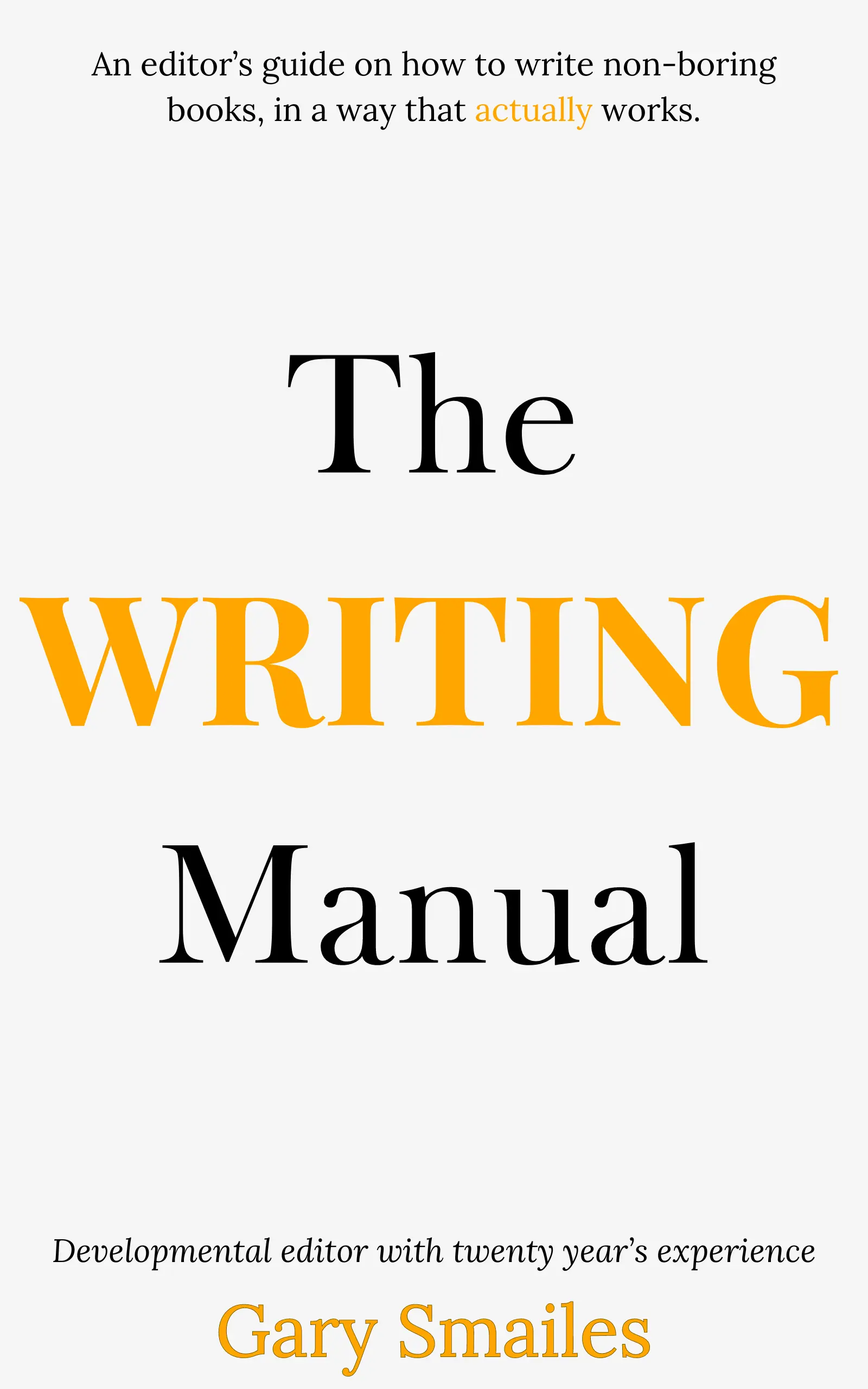
Download FREE ebook
Claim your free eBook today and join over 25,000 writers who have read and benefited from this ebook.
'It is probably one of the best books on writing I've read so far.' Miz Bent