Ebook Formats: A Quick Guide For Self Publishers

Table of Contents
- The Main Ebook Formats (What They Are and When to Use Them)
- Choosing the Right Format for Your Book Type (Reflowable vs Fixed Layout)
- Where Each Format Is Used (Amazon KDP, Ingram, Kobo, Apple, Google)
- Formatting and Conversion: How to Create Professional Ebook Files
- Quality Control and Reader Experience (Testing, Accessibility, and Metadata)
- Frequently Asked Questions
The Main Ebook Formats (What They Are and When to Use Them)
Ebook formats sound like a problem for people who own three monitors and say things like "container file." You do not need to become one of them.
You need one clean rule: match the format to how readers will use the book. Reading on a phone at 11 p.m. is a different experience from filling out a workbook at a desk. The file should serve the experience, not your software.
Let's sort the big four.
EPUB: the default choice for most ebooks
If you write novels or narrative nonfiction, EPUB is your home base.
EPUB is reflowable, which means the text adapts to the reader's device and preferences. Bigger font, different font, wider margins, dark mode, small phone screen, huge tablet. The book flexes.
That flexibility is why EPUB works so well for text-driven books. Chapters, paragraphs, italics, scene breaks, a linked table of contents, footnotes. All of that travels nicely in EPUB when the file is built with clean styles.
Where EPUB shines:
- novels and short stories
- memoir, essays, narrative nonfiction
- most nonfiction with straightforward headings and lists
Where EPUB starts to complain:
- dense tables
- complex page layouts with columns and sidebars
- designs where "this must sit next to that" on every screen
A quick reality check: readers expect to change font size in an ebook. If your reading experience breaks when someone bumps the font up two notches, you are fighting the medium.
Kindle formats (KPF/KFX/AZW): Amazon's house language
Kindle files are what Amazon sells to Kindle devices and Kindle apps. You will see names like AZW and KFX, and you might hear KPF if you work with Kindle Create. Here's the part you need to remember.
You do not have to generate these files yourself in most cases.
Amazon accepts an EPUB upload through KDP and converts it into a Kindle format for customers. Amazon's conversion has improved a lot. It still makes odd choices when your formatting is messy, which is why a clean EPUB matters.
So when should you care about Kindle-specific formats?
- when you use Kindle Create and you want Amazon's particular features or layout options
- when you are troubleshooting a weird display issue and need to test in Kindle Previewer
- when you publish something layout-heavy and you want tighter control inside Amazon's ecosystem
If your book is a standard novel, your workflow can be simple: produce a solid EPUB, upload to KDP, preview it, fix what breaks.
One warning, friendly but firm. Do not assume "looks fine in Word" means "will look fine on Kindle." Kindle conversion is less forgiving than your word processor, and readers are less forgiving than Kindle conversion.
PDF: a printed page trapped in a screen
PDF is a fixed-layout format. Every page is a snapshot. What you see is what you get, and what you get is what everyone gets.
That sounds comforting until you read a PDF on a phone. You pinch, zoom, scroll sideways, lose your place, repeat. If your book is meant to be read like a novel, PDF is the wrong tool.
PDF is great when the page design is part of the content. Think "the layout teaches."
Use PDF for:
- workbooks and worksheets readers print out
- textbooks or reference books with precise page design
- books with heavy tables, forms, or complex visual structure
- branded documents where placement matters
Avoid PDF for:
- most fiction
- most memoir and narrative nonfiction
- anything you expect readers to consume on small screens
A simple test: would a reader benefit from printing this? If yes, offer a PDF. If no, skip the PDF and build a proper ebook.
Also, do not confuse "PDF is easy to export" with "PDF is reader-friendly." Ease for the author is not the goal.
Fixed-layout EPUB: when design must stay put
Fixed-layout EPUB tries to keep the visual layout locked in place, while still being an EPUB. This is useful for books where the relationship between text and image carries meaning.
Common fits:
- children's picture books
- comics and graphic novels
- cookbooks with tight image-and-caption layouts
- art books with annotated spreads
The trade-off is predictable. Fixed-layout EPUB is harder to test and distribution is less smooth. Different retailers and apps support fixed layout with varying levels of enthusiasm. A file that looks polished in one reader might look off in another.
If you go this route, budget time for testing across devices and stores. Also consider whether you need two editions, one fixed-layout for tablets and one reflowable for general ebook readers. Readers do not complain when you give them options. They complain when text is tiny and stuck.
Actionable advice you can use today
If you want the short plan most self-publishers should follow, here it is.
- Make EPUB your primary ebook file.
Publish it wide to Apple Books, Kobo, Google Play Books, and aggregators. - Upload that EPUB to Amazon KDP and let Amazon convert it to Kindle format.
Then preview, because conversion errors are sneaky. - Use PDF only when the page design is the experience.
Workbooks, printables, textbooks, layout-driven nonfiction. Offer the PDF as a companion, not as the main ebook for reading.
If you remember nothing else, remember this: reflowable formats are for reading, fixed layouts are for looking. Pick the format that matches how your reader will hold the book. Your reviews will thank you.
Choosing the Right Format for Your Book Type (Reflowable vs Fixed Layout)
Format choice comes down to one question.
Do you want the reader to control the page, or do you need to control the page?
If the reader controls the page, you want a reflowable ebook, usually EPUB. If you need to control the page because the layout carries meaning, you are looking at fixed layout, either fixed-layout EPUB or PDF.
The mistake I see all the time is authors picking a format based on fear. Fear of conversion. Fear of fonts shifting. Fear of a chart looking odd. So they shove everything into a PDF and call it done. Then readers open it on a phone and leave a review that politely translates to "I hated this experience."
Let's keep you out of that mess.
Reflowable: built for reading
A reflowable ebook treats your text like water. Pour it into a small glass, it takes the shape. Pour it into a big one, same deal.
Your reader changes font size, line spacing, margins, orientation, or background color. The book behaves. The pages are not "pages" in the print sense, they are screens of text.
This is why reflowable ebooks are the default for:
- fiction
- memoir
- biography
- narrative nonfiction
- most business and self-help books that read straight through
If your book is mostly paragraphs with the occasional heading and list, you will get the best reader experience with reflowable.
A quick gut check: if you would be fine reading your book in a plain, clean font on a Kindle Paperwhite, you are in reflowable territory.
Fixed layout: built for design-dependent content
Fixed layout locks the design in place. Text sits where you put it. Images stay aligned. Columns stay columns. A page is a page.
This matters when the layout does more than look nice. It carries information.
Fixed layout earns its keep in books like:
- children's picture books where text placement interacts with art
- comics and graphic novels
- textbooks with complex figures and labeled diagrams
- cookbooks with precise image-caption relationships
- workbooks with write-in areas and forms
The cost is flexibility. On smaller screens, fixed layout often means zooming and panning. Some readers tolerate that for a comic. They will not tolerate it for a novel.
So use fixed layout when you must, not when you feel nervous.
The three things that decide your format
You do not need a technical background to choose wisely. You need to look at your manuscript like an editor, not like a proud parent.
1) Tables, charts, images, callouts, sidebars
These elements do fine in reflowable ebooks when they are simple.
A single chart image with a caption, fine. A short table with two columns, sometimes fine, depending on the device. But the more your content depends on "this sits next to this," the more reflowable starts to strain.
Here's the practical test. Open your manuscript and find the most complex spread, the one you worry about.
Now ask:
- If this collapses into a single column, does it still make sense?
- If the reader increases font size, does anything break or become unreadable?
- If an image shrinks to fit the screen, does the text inside it become tiny?
If the answers look ugly, consider a fixed-layout edition, or rethink how you present the information. Sometimes the best fix is not a new format, it's redesigning the content. Turn a wide table into a list. Split one giant chart into two. Move detail into an appendix.
2) Typography and special characters
Poetry is the classic troublemaker, and I say that with affection.
Line breaks, indentation patterns, unusual spacing, and deliberate placement all matter. Reflowable ebooks try to respect those choices, but different devices interpret styling in different ways. You can get close, yet "close" might not be good enough for a poem where one shifted indent changes the reading.
Other typography red flags:
- textbooks with math notation
- language-learning books with lots of diacritics
- scripts with strict formatting expectations
- any book using text as part of a diagram
This does not mean you must abandon reflowable. It means you should test early, and you might decide to publish two editions. One reflowable for general reading, one fixed layout for readers who need the exact visual presentation.
3) Navigation: table of contents, footnotes, endnotes, cross-references
Navigation is where ebooks either feel professional or feel like a bad photocopy.
Reflowable EPUB does navigation well when your file is built cleanly. Linked table of contents. Tap a chapter title, you go there. Tap a footnote, you jump to it and back again. Readers love this because they never lose their place.
Fixed layout varies. A PDF can support links, yet many PDFs in the wild are "flat." No meaningful bookmarks. No internal links. Nothing to help a reader move through a long book without endless scrolling.
If your nonfiction relies on frequent reference, you should care about navigation as much as you care about layout. A beautiful design with terrible navigation still frustrates readers.
When two editions are the smart move
Sometimes the right answer is not choosing one format, it's choosing two.
Here are common pairings that work well:
- Reflowable EPUB for the main book + PDF for worksheets
The EPUB is for reading on any device. The PDF is for printing, filling in, or keeping as a desk reference. - Reflowable EPUB for wide distribution + fixed-layout edition for tablets
This is common for children's books and illustrated nonfiction. The reflowable version reaches more readers. The fixed-layout version preserves the intended design for those who want it.
If you go with two editions, be clear in your product description. Tell readers what each file is for. You are not adding complexity, you are preventing refunds.
Keep your files lean, or retailers will punish you
Ebooks are not the place to dump 40 high-resolution images and hope for the best.
Large files mean slower downloads, sluggish page turns, and in some stores, higher delivery fees deducted from your royalties. That last one tends to get an author's attention.
A few practical habits:
- Resize images to the size they will display. Do not embed a 6000-pixel photo for a 900-pixel screen.
- Compress images thoughtfully. You want clean, readable visuals, not bloated files.
- Avoid screenshots of text. Use real text whenever possible for readability and accessibility.
- For charts and diagrams, check legibility on a phone-sized screen before you publish.
If you are offering printables, consider keeping them in a separate PDF bonus file rather than stuffing them into the ebook itself. Readers who
Where Each Format Is Used (Amazon KDP, Ingram, Kobo, Apple, Google)
If ebook formats were house keys, EPUB would open most doors. Amazon is the one neighbor who changes the lock and insists you use their key, even when you show up holding a perfectly good one.
So let's talk about where each format goes, what each store expects, and where writers tend to trip.
Amazon KDP: bring EPUB, Amazon does the rest
Amazon sells ebooks to Kindle devices and Kindle apps, and those run on Amazon's own Kindle formats under the hood.
Here's the part many authors miss: KDP accepts an EPUB upload. You do not need to upload a MOBI file (those days are over), and you do not need to stress about producing an AZW file yourself. You upload EPUB, Amazon converts it, and the customer gets a Kindle-friendly file.
That conversion step is the whole story.
Sometimes it goes smoothly. Sometimes Amazon makes "helpful" choices about spacing, indents, scene breaks, font styling, or how it handles a fancy table you worked too hard on. Your job is to catch those choices before readers do.
Kindle Previewer: your best friend with a harsh personality
Amazon gives you Kindle Previewer for a reason. Use it.
Preview your book on:
- a phone-sized screen
- a tablet-sized screen
- an e-ink device view
Then look for the usual suspects:
- chapter titles drifting into odd positions
- extra blank lines between paragraphs
- missing italics
- scene break symbols turning into tofu boxes or disappearing
- tables collapsing into a mess
A small habit that saves you hours: every time you upload a revision to KDP, download the preview file again and check the same problem spots. Conversions vary across versions. Yes, it's annoying. No, Amazon does not care about your feelings.
Apple Books, Kobo, Google Play Books: EPUB feels at home
If you're selling outside Amazon, you're in EPUB country. Apple Books, Kobo, and Google Play Books all prefer EPUB, and in my experience, they tend to display a clean EPUB with fewer unpleasant surprises.
That does not mean "no surprises." It means the workflow makes sense.
A good EPUB, built with proper styles and a working table of contents, usually behaves across these stores in a predictable way. So when people say "EPUB is the standard," this is what they mean in practice.
A few practical notes:
- Apple Books is picky about presentation. Small styling errors show up fast.
- Kobo tends to handle standard novels well, and Kobo readers care about a smooth experience.
- Google Play Books often gives you a lot of control in the dashboard, and it's worth taking the time to fill in metadata carefully.
If your plan is "publish wide," treat your EPUB as your master file. Keep it clean. Keep it validated. Make changes there first, then upload.
Aggregators: Draft2Digital, Smashwords, StreetLib (and why you might want one)
Uploading direct to every retailer gives you control. It also gives you five dashboards, five sets of metadata fields, five pricing pages, and five places to forget to update your blurb.
Aggregators exist because authors got tired.
A distributor like Draft2Digital (which now includes Smashwords in the same family) or StreetLib takes your EPUB, sometimes a Word file, then delivers your book to multiple retailers. You manage one upload, one metadata form, and one update process.
The trade-offs are simple:
- Pros: less admin work, easier updates, quick access to multiple storefronts
- Cons: less granular control, sometimes slower updates, aggregator takes a cut, store access varies
If you love control and you like tweaking pricing and promos per store, go direct. If you want fewer moving parts, pick an aggregator and spend your time writing the next book.
One caution: do not assume "aggregator" means "every store on earth." Always check their current list of partners, and check whether you will still be able to access key promo tools in each retailer.
Ingram: mostly a print conversation, but it still touches ebooks
Ingram comes up constantly in self-publishing circles, usually because of print distribution through IngramSpark. For ebooks, Ingram has distribution options too, but most indie authors build their ebook plan around Amazon plus the main wide retailers, either direct or through an aggregator.
Here's the useful way to think about Ingram in an ebook formats post: if your goal is wide reach, EPUB remains the working file. Your distribution route is the variable, not the format.
If you are already using IngramSpark for print and you want a single ecosystem, look at their ebook distribution terms with a clear head. Compare royalty rates, pricing control, and update speed. Choose based on business, not convenience.
The decision that matters more than file type: Select or wide
Writers get stuck debating EPUB versus Kindle formats as if the file extension is the big strategic choice. It's not.
The big strategic choice is exclusivity.
- If you enroll in KDP Select (which includes Kindle Unlimited), you agree to ebook exclusivity with Amazon for that title. No wide ebook distribution while you're enrolled.
- If you go wide, you sell on Amazon without exclusivity, and you also publish to Apple, Kobo, Google, and others.
Notice what's missing from that list. File type drama. You can publish with EPUB either way.
So decide early. It affects your timeline, your launch plan, and whether you build readership outside the
Formatting and Conversion: How to Create Professional Ebook Files
Ebook formatting has one ruthless rule: if you fake order on the page, the file will punish you later.
On your laptop, a string of spaces might line up. In an ebook, those spaces turn into chaos the moment a reader bumps the font size up two notches or switches from portrait to landscape. Your goal is not to make the manuscript look nice in Word. Your goal is to build a file that behaves.
Let's talk about the main ways authors get from manuscript to EPUB, and what "professional" looks like when you pop the hood.
Three common creation routes (and who each one suits)
1) Word or Google Docs → template → export to EPUB
This route works best for straightforward books. Think novels, memoirs, plain nonfiction.
The danger is not Word itself. The danger is how people use Word.
If your document is full of:
- tabs to create indents
- multiple spaces to center text
- blank lines made by hitting Enter five times
- headings styled by hand with bold and a bigger font
…then exporting to EPUB is like pouring soup into a suitcase. Something will leak.
If you want this route to behave, treat Word like a structure tool. Use styles. Keep formatting boring. Let the ebook reading system handle the visual side.
A quick self-test: click into a normal paragraph and then into a chapter title. If both are "Normal" with different manual tweaks, stop and fix it. Your future self will thank you.
2) Vellum (Mac) / Atticus (web) / Scrivener (varies)
These tools exist because ebook code is finicky and writers have better things to do.
- Vellum produces clean, dependable EPUBs for most novels and standard nonfiction. If you like fussing over front matter and chapter styling without touching code, Vellum is popular for a reason.
- Atticus aims for the same promise, with the bonus of being web-based. Output quality has improved a lot, but you still need to proof the export like a skeptic.
- Scrivener is brilliant for drafting and organising. Export is workable, yet authors get mixed results depending on how complex the book is and how carefully the compile settings are handled.
These tools do not remove the need for good input. If your manuscript is messy, they will export a tidy-looking mess. The mess is now hiding in the file.
3) Professional formatter
If your book has complex elements, a pro is often the cheapest option in the long run.
"Complex" usually means:
- lots of images, tables, charts
- callout boxes and sidebars
- heavy footnotes or endnotes
- poetry where line breaks matter
- accessibility requirements you want handled properly, not guessed at
A formatter earns their fee by preventing retailer conversion problems, cleaning the structure, and producing files that pass checks. They also tend to spot the weird little issues authors miss, like a table of contents that looks fine but does not link properly on half the devices.
If you hire a formatter, ask what files you will receive. At minimum, you want the final EPUB and a clear process for updates.
The formatting essentials that separate clean ebooks from messy ones
Use paragraph styles, not manual formatting
Styles are boring. Styles are also the difference between "works everywhere" and "why is chapter three in italics."
Set up styles for:
- Body text
- Chapter titles
- Subheads (if you have them)
- Block quotes
- Scene breaks
Then apply them consistently. Consistently means every time, even when you are tired.
Here's a fast exercise. Open your manuscript and turn on formatting marks. In Word, that's the paragraph symbol. Now scan a chapter opening.
- Do you see tabs at the start of paragraphs? Remove them and use first-line indent settings through the style.
- Do you see extra paragraph returns to create space? Remove them and set spacing in the style.
- Do you see "Normal" everywhere? Build proper heading styles and use them.
Your ebook file needs semantic structure. A bolded line is not a heading. A heading style is a heading.
Build a real, linked table of contents
Readers use the table of contents the way drivers use road signs. If yours is broken, they blame you, not the device.
A proper ebook TOC should:
- include each chapter
- link to the correct location
- match the book's internal navigation, including "Go to beginning" behavior where applicable
Do not type a TOC by hand and assume the export will link it. Some tools will, many will not, and the failures are sneaky.
After export, click every TOC entry. Every one. Yes, all of them. This is the easiest way to catch a structural problem early.
Clean chapter breaks, clean scene breaks
Chapter breaks should be consistent. Pick a method and stick to it.
- Use your tool's chapter break feature, or in Word use a proper page break where required by your workflow.
- For scene breaks, use a simple marker and style it the same way each time. Asterisks are common, yet any plain symbol works if it exports cleanly.
Avoid "spacing" your way into a chapter break by hitting Enter until the next page appears. Ereaders do not care about your Enter key.
Keep fonts simple, and keep styling light
Most readers change fonts. Many override your spacing. Some force night mode. Your job is to avoid fighting those settings.
A few practical rules:
- Do not embed fonts unless you have a clear reason and the rights to do it.
- Avoid fancy drop caps, decorative flourishes, and aggressive inline styling.
- Use italics and bold with restraint, and make sure they survive conversion.
Every extra styling choice is one more chance for a device to misbehave.
Start with a clean manuscript (before you export)
This is the part authors skip because it feels like housekeeping. Housekeeping is what separates a smooth EPUB from a file held together with duct tape.
Before you export:
- search and replace double spaces
- remove tabs used for indenting
- remove manual line breaks used to "control" wrapping
- standardise scene breaks
- confirm headings use heading styles, not bold and wishful thinking
Quality Control and Reader Experience (Testing, Accessibility, and Metadata)
You can write a clean book and still ship a messy ebook.
Why? Because conversion changes things. Retailers reprocess your file. Apps interpret code differently. A device you do not own decides your carefully spaced scene break looks like three blank screens. Then a reader, who paid money, decides you did not care.
Quality control is you caring in a way readers can see.
Testing: stop trusting your export
Start with a simple rule. Test in more than one place. If you only look at your file in the program that created it, you are admiring your reflection, not checking your outfit.
Here's a lean testing stack most self-publishers can manage:
- Kindle Previewer for Amazon conversion behavior
- Apple Books on Mac or iOS for EPUB display
- Kobo app for another common rendering engine
- Google Play Books for yet another
You do not need a room full of devices. You need different reading systems, because each one has its own opinions.
What to click and what to hunt for
Don't read the whole book like a cozy weekend activity. Read like an irritated customer with a short attention span.
1) Test navigation first.
Navigation problems feel like disrespect. Readers tap once, nothing happens, and you lose trust fast.
Check these, in this order:
- Table of contents links: tap every entry. Every one.
- "Go to beginning" behavior: does it land where a reader expects, usually the start of the text, not a copyright page maze?
- Chapter links: if you have internal links, confirm they land on the correct heading, not halfway down the page.
- Footnotes and endnotes: tap the note number, confirm it jumps to the note, then confirm there is a working return link back to the text.
A note on footnotes: a lot of ebooks handle them as pop-ups or jumps. Both are fine. Broken is not.
2) Scan the usual conversion casualties.
Some problems show up again and again, across genres.
- Missing italics: often caused by messy styling in the source file.
- Broken scene breaks: a centered symbol turns into a left-aligned orphan, or vanishes.
- Weird spacing: extra blank lines, collapsed paragraph spacing, random indent changes.
- Orphaned headings: a chapter title stranded at the bottom of a screen with the text starting on the next screen.
The fastest way to catch these is to skim. Jump chapter to chapter, scroll a few screens, look for anything that makes you pause. Pauses are clues.
3) Stress test reader settings.
Real readers change settings. They crank up font size. They switch to a dyslexia-friendly font. They flip to dark mode at 2 a.m.
So you should too.
In each app, try:
- increasing font size by a lot
- switching fonts
- changing line spacing, if the app allows it
If your ebook falls apart when the reader touches a setting, the format is brittle.
Accessibility: make the book readable for more people
Accessibility sounds like a technical checkbox. For readers, it's basic courtesy. For you, it's fewer complaints and better reach.
You do not need to become an accessibility specialist to do the fundamentals well.
Use real headings, not fake headings
If your chapter titles are styled with actual heading tags (usually created by applying heading styles in your source), screen readers and navigation systems understand the structure.
If you made chapter titles by enlarging the font and centering it, a screen reader treats it like body text with a big ego.
So, use semantic headings. Your ebook will be easier to navigate for everyone, including sighted readers who rely on the TOC.
Add alt text to meaningful images
If an image carries information, add alt text. If the image is decoration, skip it or mark it appropriately, depending on your tool.
Examples:
- A chart in a business book needs alt text summarising what the chart shows.
- A flourish at the start of a chapter does not.
Alt text is not a place for poetry. Keep it plain. Think, "What does the reader need in order to understand the content?"
Avoid text as an image
Text baked into an image is hard to resize, hard to read, and often unreadable for screen readers.
If you have a quote, a callout, or a label, keep it as text whenever possible. If design demands an image, provide the text elsewhere in the flow.
Contrast and defaults matter, especially for fixed layout
For reflowable EPUB, readers often control fonts and backgrounds. For fixed layout, you control more, so you carry more responsibility.
Make sure:
- text has strong contrast against the background
- font size is readable without zoom gymnastics
- interactive elements, if any, are obvious and tappable
You are not designing a poster. You are publishing a book people read for hours.
Metadata: the quiet part of discoverability
Metadata is the info attached to your book in retailer systems. Readers rarely see the whole set, yet metadata decides where your book appears and whether it looks professional when it does.
Three metadata issues cause most headaches.
Series info: be consistent or be invisible
If the book is in a series, use the exact same series name spelling and the correct series number everywhere.
"Dragons of Ember, Book 2" is not the same as "Dragons Of Ember Book Two" to a database. Humans shrug. Retailers split your series into multiple ghost series, and readers get confused.
Pick a series name. Lock it. Repeat it perfectly.
Author name: one identity across stores
Use the same author name format on every platform. If you publish as "J. R. Smith" in one store and "JR Smith" in another, your catalogue fragments.
This also applies to co-authors and contributors. Consistency is boring. Consistency is sales.
Blurb, categories, keywords: avoid self-sabotage
Your blurb should match the book. Your categories should match reader expectations. Your keywords should be specific, not stuffed.
A quick reality check: search your chosen categories on a retailer site. Look at the top books. If your book would confuse those readers, pick a different category.
Metadata is
Frequently Asked Questions
Which ebook format should I use for a novel or narrative nonfiction?
Use a reflowable EPUB as your primary file for novels and most narrative nonfiction. Reflowable EPUBs adapt to different screen sizes and reader settings, so readers can change font size or theme without breaking the reading experience.
Treat that EPUB as the master file: validate it, preview it across apps, and upload it to wide retailers; then send the same EPUB to KDP and check in Kindle Previewer because Amazon will convert it to Kindle format for customers.
When is PDF or fixed-layout EPUB the right choice?
Choose PDF or fixed-layout EPUB when the page design carries meaning and must remain locked in place: workbooks, printable worksheets, children’s picture books, graphic novels, or textbooks with complex figures. These formats preserve layout but often frustrate phone readers.
Consider offering a separate PDF for printables or a fixed-layout edition for tablet readers while keeping a reflowable EPUB as the main reading edition to maximise accessibility and reader satisfaction.
Do I need to create a Kindle file myself or is uploading an EPUB enough?
Uploading a clean EPUB to KDP is sufficient in most cases because Amazon converts EPUB to its Kindle formats. The important step is to preview the converted file in Kindle Previewer and fix any conversion casualties like missing italics, broken scene breaks, or collapsed tables.
If you use Kindle Create or need tight control over layout on Kindle devices, produce a Kindle‑specific file; otherwise let Amazon convert your validated EPUB and focus on testing conversion results before publishing.
How should I prepare a Word or Google Doc before exporting to EPUB?
Use paragraph styles rather than manual formatting: set body text, chapter titles and scene breaks with styles, remove tabs and manual line breaks, and avoid multiple returns for spacing. Clean, semantic structure is the difference between a professional EPUB and a file that misbehaves on devices.
Run a quick cleanup before export: replace double spaces, standardise scene break markers, and ensure your table of contents is built from real headings so links export correctly to the EPUB TOC.
What testing and quality control should I do before I publish?
Test on multiple reading systems: Kindle Previewer (phone, tablet, e‑ink), Apple Books, Kobo and Google Play Books or their apps. Click every table of contents link, test footnote navigation, increase font size, change fonts and check scene breaks and italics — these are the usual conversion casualties.
Always proofread after formatting: layout changes reveal typos, widows, orphan lines and missing italics, so do a final proof on the formatted EPUB or printed proof before you release.
How should I handle images and keep ebook file size reasonable?
Resize images to the display size they need and compress them sensibly; do not embed 6000‑pixel photos for a 900‑pixel screen. Avoid screenshots of text and prefer real text for accessibility and searchability.
If you have many printables or high‑resolution charts, offer them as a separate downloadable PDF rather than stuffing them into the main ebook — that keeps your EPUB lean and avoids delivery fees or sluggish page turns on some stores.
What metadata and distribution choices affect discoverability and reader experience?
Use consistent metadata across stores: identical author name, exact series name and numbering, matching blurb and category selection that aligns with reader expectations. Poor metadata confuses retailer algorithms and readers, splitting series listings or hiding your book from the right audience.
Decide early whether to go exclusive with KDP Select or publish wide via direct uploads or an aggregator like Draft2Digital — that strategic choice matters more than the file extension, because it shapes your promo tools and where readers can access your ebook.
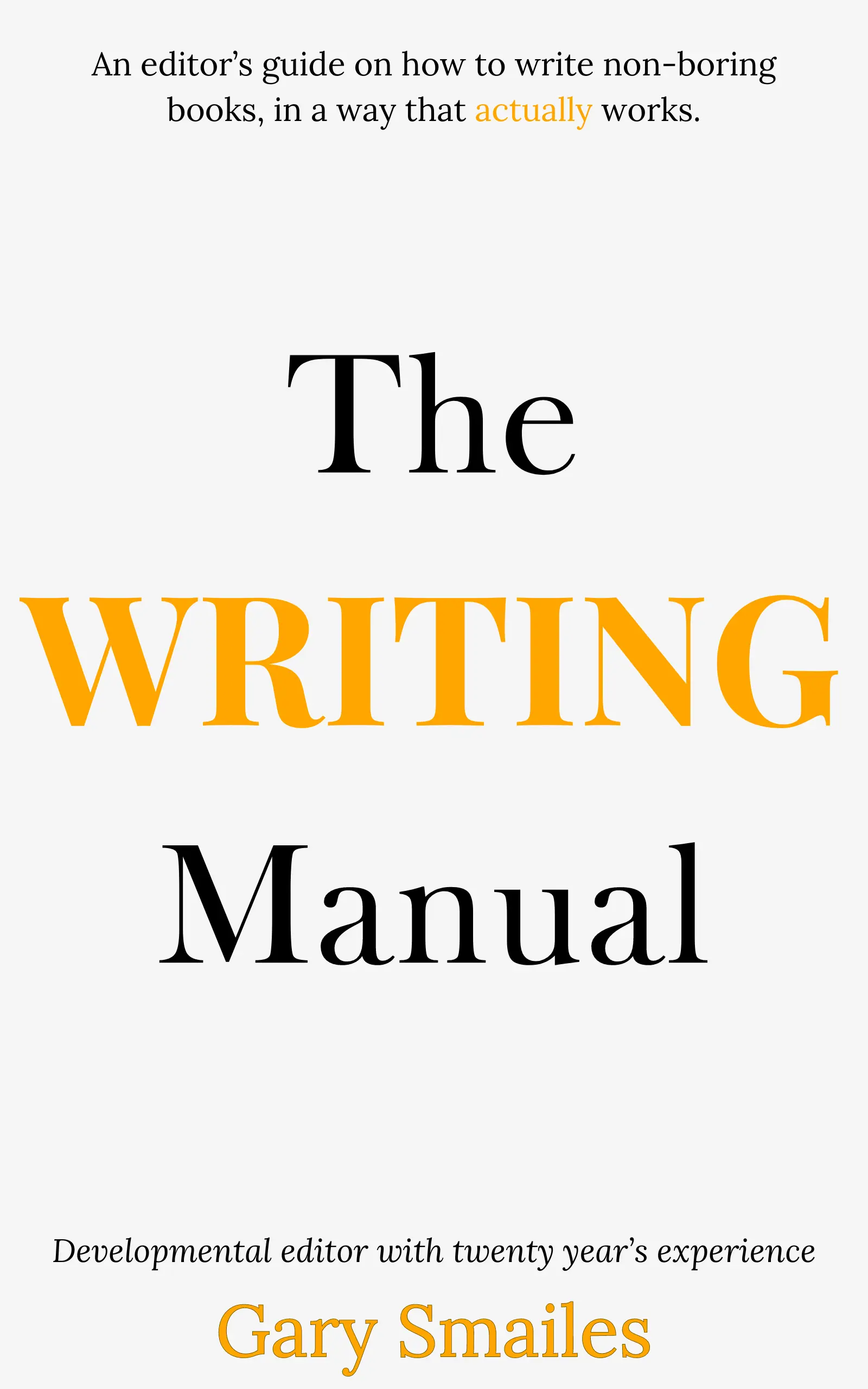
Download FREE ebook
Claim your free eBook today and join over 25,000 writers who have read and benefited from this ebook.
'It is probably one of the best books on writing I've read so far.' Miz Bent
Download your free ebook